
Sometimes the converted price is not the price you want: a flagship product at exactly 39 euros, or a sale that should read the same in every market. A fixed price replaces the conversion for one product in one currency.
Steps
- Edit the product and open Product data → General.
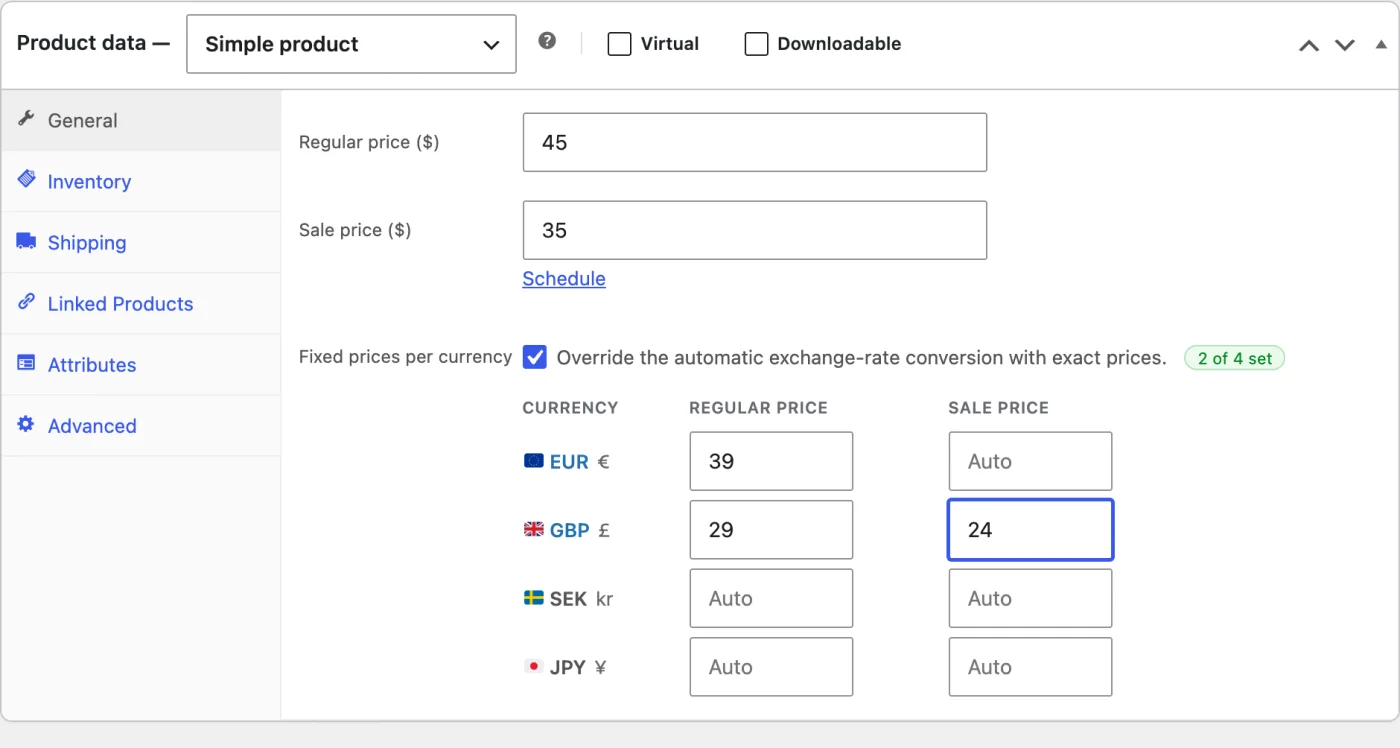
- Tick Fixed prices per currency. A table with your currencies appears.
- Type a regular price for the currencies you want to fix, and a sale price where you need one.
- Press Update.
Good to know
- A field left empty shows "Auto": that currency keeps the converted price.
- For a variable product, each variation has its own fields in the Variations tab.
- Unticking the box brings back automatic conversion and keeps what you typed.