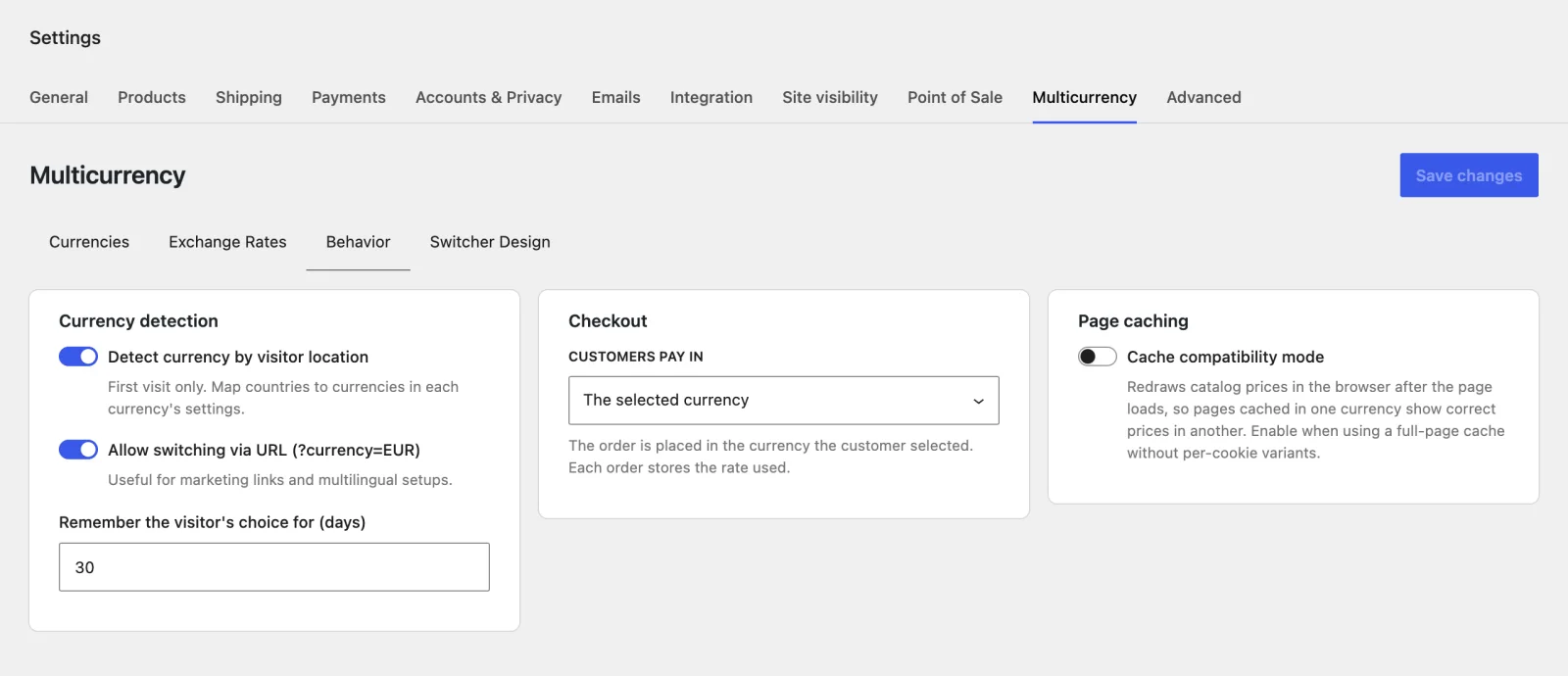
A visitor who sees prices in their own currency does not have to do the maths. Detection by location shows the right currency on the first visit, with no click.
Steps
- On the Currencies tab, click a currency to open its settings.
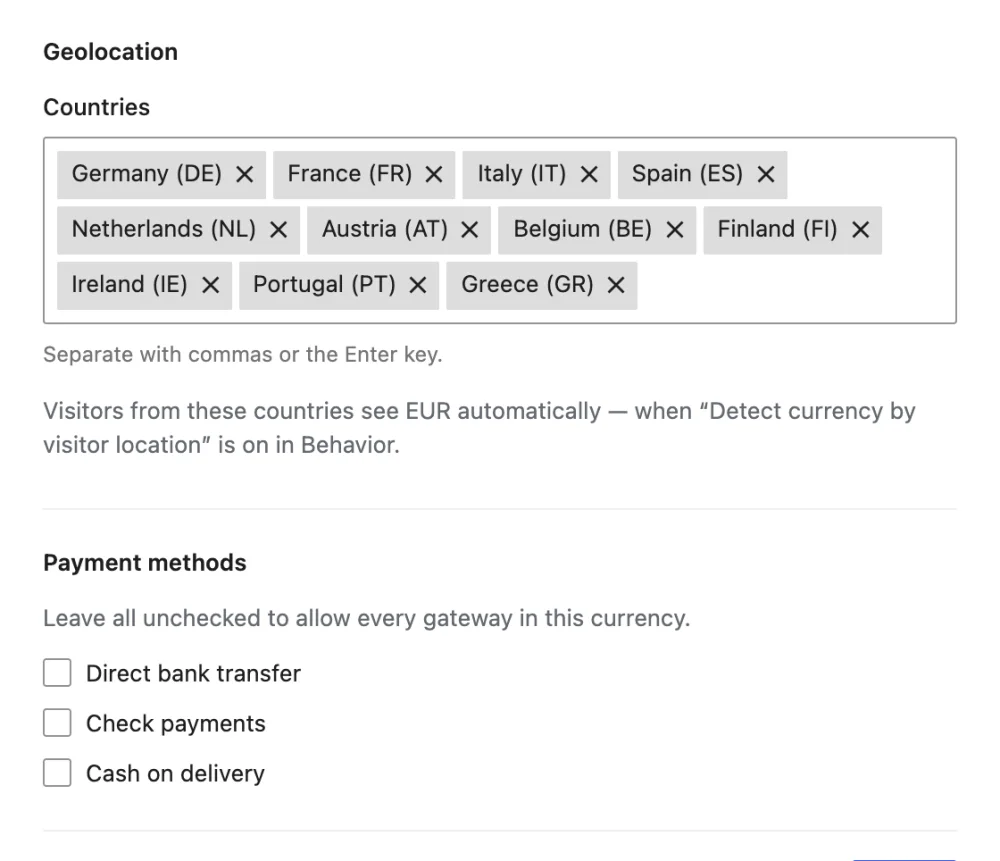
- Under Geolocation, add the countries whose visitors should see this currency. Do this for each currency.
- Open the Behavior tab and turn on Detect currency by visitor location.
- Press Save changes.
How it decides
- Detection runs on a first visit only. Once a visitor picks a currency, their choice wins.
- The country comes from WooCommerce's own geolocation.
- Search-engine crawlers always get your base currency, so search results stay consistent.
Open a page in a chosen currency
For an ad or a newsletter aimed at one country, add the currency to the link. With Allow switching via URL on, this address opens the page in euros:
https://yourshop.com/sale/?currency=EUR