
The switcher is how visitors change currency. You choose how it looks once, and place it in as many spots as you want.
Choose a style
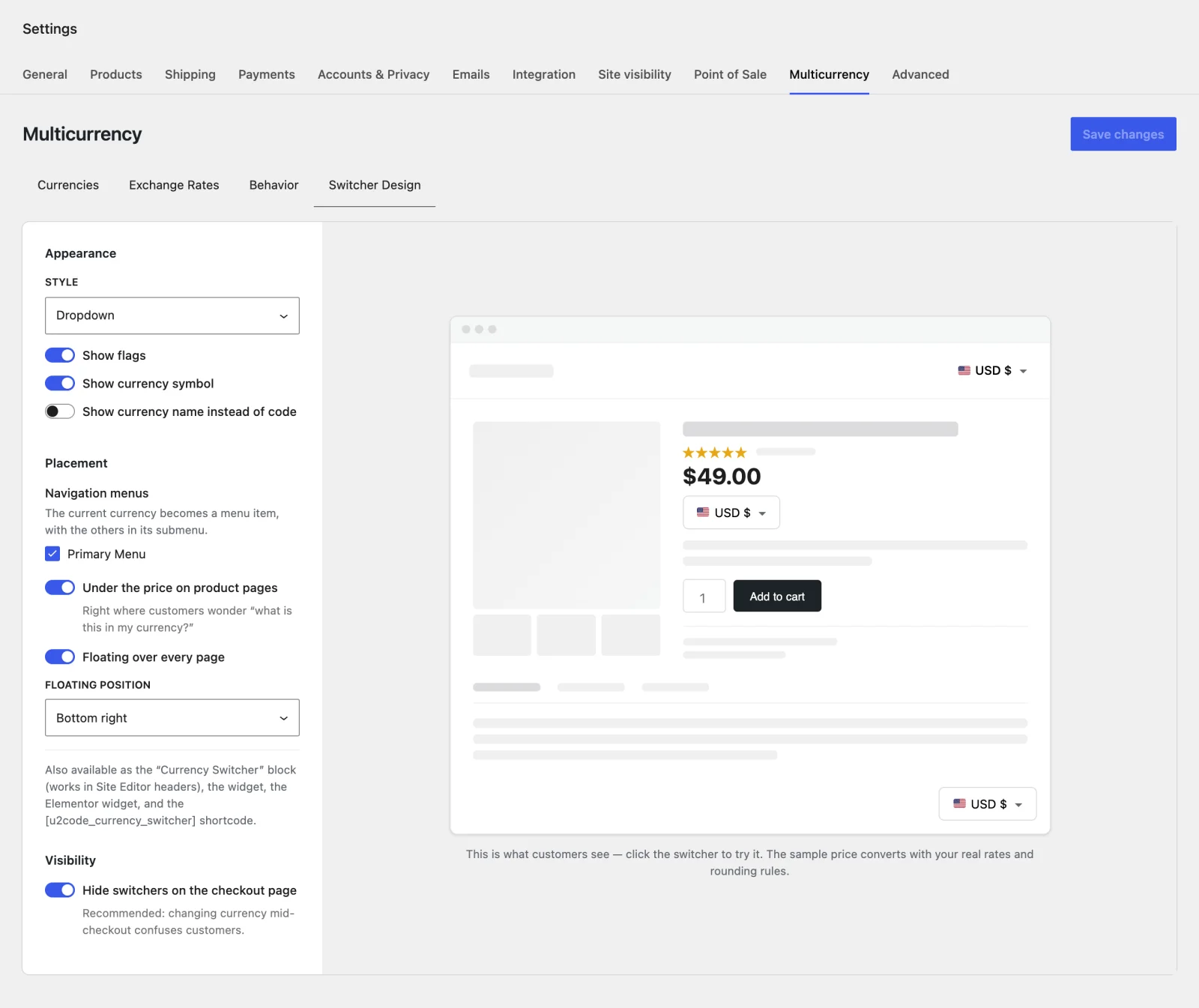
- Go to WooCommerce → Settings → Multicurrency → Switcher Design.
- Under Appearance, pick a style: dropdown, buttons, plain select, flags only or text links.
- Switch flags, the currency symbol and the currency name on or off. The preview on the right changes as you go; click its switcher to try it.
Choose where it appears
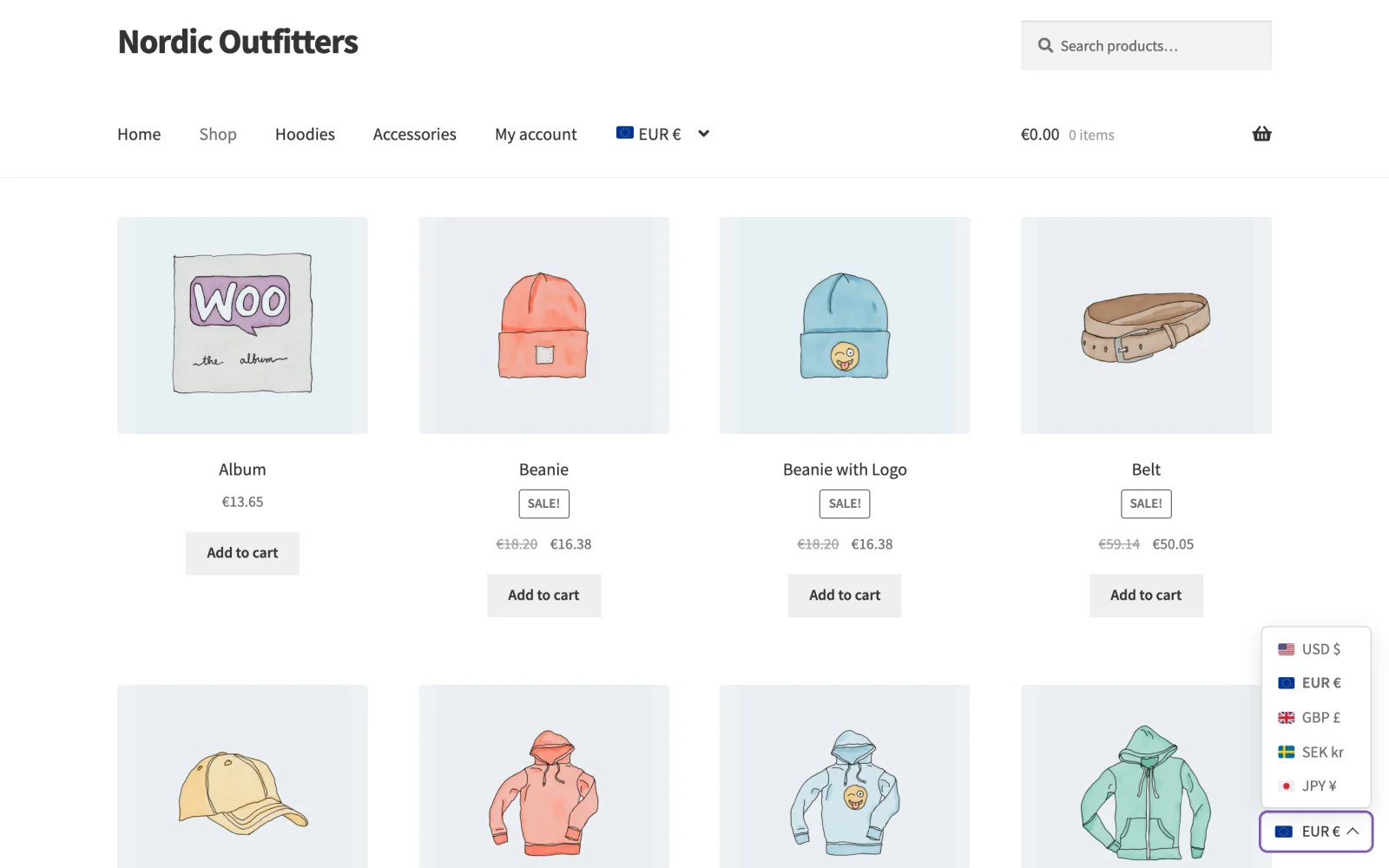
- Navigation menus: tick a menu. The current currency becomes a menu item with the others in its submenu.
- Under the price on product pages: one switch.
- Floating over every page: one switch, then bottom left or bottom right.
Press Save changes and open your shop.
Place it by hand
- Block editor: add the Currency Switcher block. It works in Site Editor headers and footers.
- Widget areas: add the Currency Switcher widget.
- Elementor: drag in the Currency Switcher widget.
- Anywhere else: use the shortcode.
[u2code_currency_switcher style="buttons" flags="yes"]On the checkout page the switcher is hidden by default, because changing currency in the middle of a checkout confuses customers.