
A converted price rarely looks like a price. Rounding fixes that. Each currency has its own rule, because 0.99 suits the euro and makes no sense for the yen.
Steps
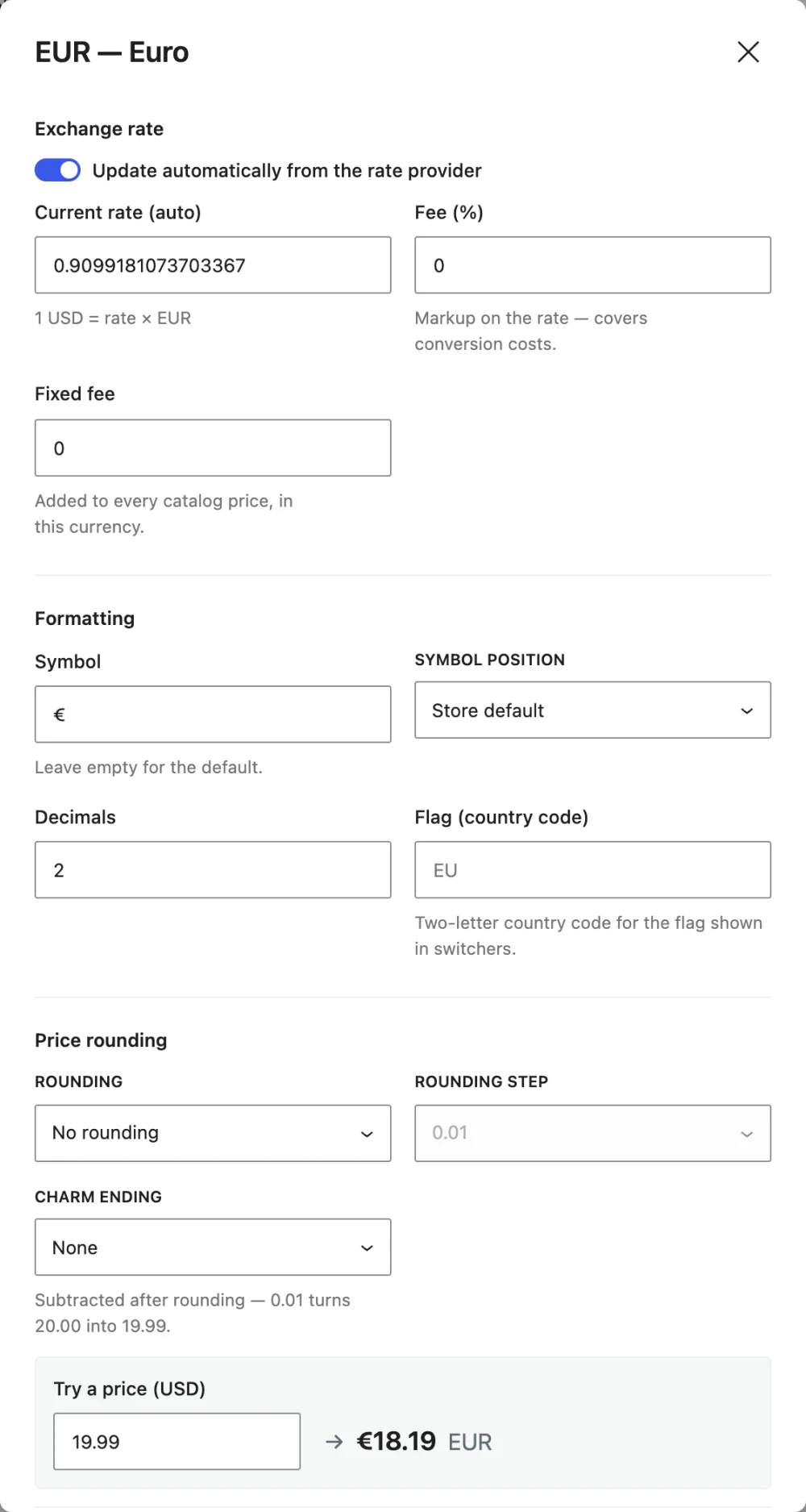
- On the Currencies tab, click the currency to open its settings.
- Under Price rounding, choose a direction: to the nearest step, up to the step, or down to the step.
- Choose the Rounding step. A step of 1 gives whole numbers, 10 gives tens, 0.5 gives halves.
- Choose a Charm ending. It is taken off after rounding: with 0.01, a price of 42.00 becomes 41.99.
- Type a price into Try a price to check the result, then press Done and Save changes.
Examples
| You want | Rounding | Step | Charm ending |
|---|---|---|---|
| 41.99 | To the nearest step | 1 | 0.01 |
| 41.95 | To the nearest step | 1 | 0.05 |
| 42.50 | To the nearest step | 0.5 | None |
| 7,000 | To the nearest step | 100 | None |
| 479 | To the nearest step | 10 | 1 |
Rounding shapes catalog prices only. Shipping, coupons and order totals are converted exactly, so the cart always adds up.